 Firefly
Discover my latest projects and experiments.
435 words
2 minutes
NodeJS初始化配置

目录1. 背景2. npm 2.1. 配置镜像源 2.2. 配置代理3. yarn 3.1. 配置镜像源 3.2. 配置代理1. 背景
众所周知在国内下载npm会很慢,并且阶段性的无法访问,所以需要换npm、yarn的镜像源,或配置npm、yarn的代理,都是为了解决 npm 依赖下载慢的问题。
-
如果你要下载的依赖,都能在“淘宝”或者“cnpm”镜像源上找到,那么就能加速很多。
换镜像源
-
如果你必须通过“npm镜像源”下载依赖(例如:你依赖的某特定版本的库,淘宝、cnpm镜像源上还没来得及与 npm 镜像源同步),那么你就需要配置代理,科学上网(如果你有VPN,那更省事)。
2. npm
2.1. 配置镜像源
- 方式1:npm 命令
// 查看镜像源npm config get registry
// 设置镜像源npm config set registry http://registry.npmmirror.com/npm config set registry https://registry.npmjs.org/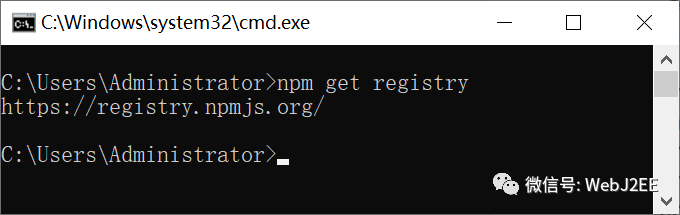
- 方式2:nrm 工具
- nrm can help you easy and fast switch between different npm registries, now include: npm, cnpm, taobao, nj(nodejitsu).
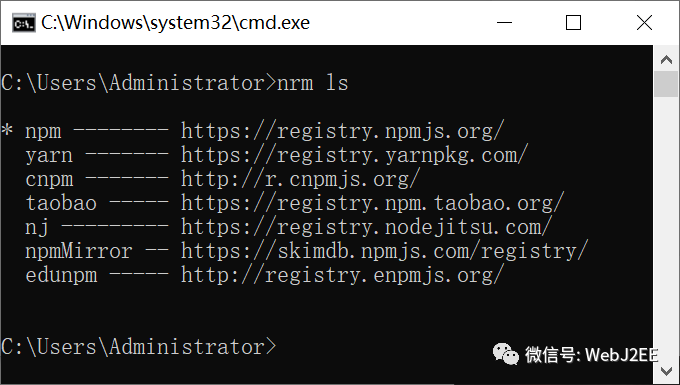
npm install -g nrm // 安装nrm ls // 查看已有的源nrm use <registry> // 切换源nrm add <registry> <url> // 添加源nrm del <registry> // 删除源nrm test [registry] // 测速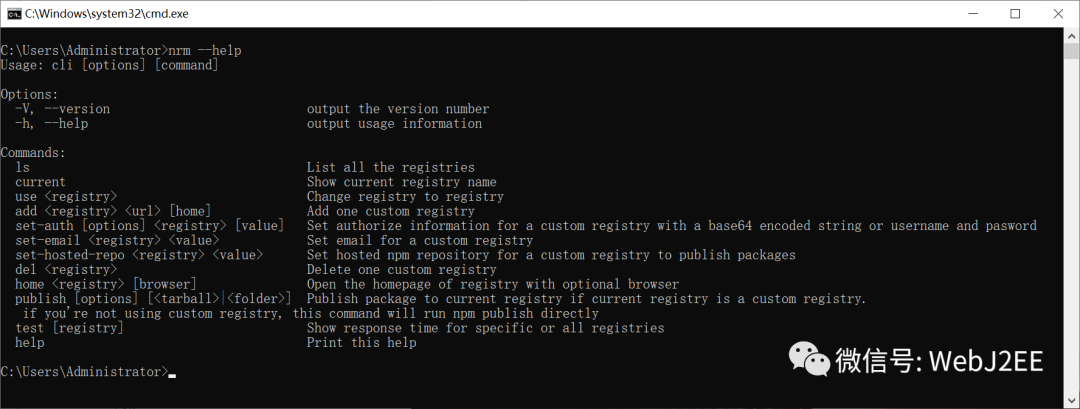
2.2. 配置代理
// 查看代理npm config get proxynpm config get https-proxy
// 设置代理npm config set proxy http://127.0.0.1:8080npm config set https-proxy http://127.0.0.1:8080
// 删除代理npm config delete proxynpm config delete https-proxy3. yarn
3.1. 配置镜像源
// 查看镜像源yarn config get registry
// 设置镜像源yarn config set registry http://registry.npm.taobao.org/yarn config set registry https://registry.npmjs.org/3.2. 配置代理
// 查看代理yarn config get proxyyarn config get https-proxy
// 设置代理yarn config set proxy http://127.0.0.1:8080yarn config set https-proxy http://127.0.0.1:8080
// 删除代理yarn config delete proxyyarn config delete https-proxy参考:
NPM registry manager(nrm):
https://github.com/Pana/nrmnpm Docs:
https://docs.npmjs.com/cli/v6/using-npm/config#proxy
Share
If this article helped you, please share it with others!
Last updated on 2019-11-16,2326 days ago
Some content may be outdated